

Where TikTok Downloads Are Saved on iPhone
The exact difference between a browser download in Files and media deliberately saved to the Photos library.
Short answer
A TikTok file downloaded from SnapVideoTools in Safari normally appears in Files > Downloads. Depending on Safari settings, that folder is under iCloud Drive or On My iPhone. It appears in Photos only after you open the compatible file and choose Save Video or Save Image.
Find a recent Safari download
- 1
Open the Files app on the iPhone.
- 2
Tap Browse and open Downloads under iCloud Drive or On My iPhone.
- 3
If the download just finished, tap Safari's download button beside the address field.
- 4
Search by the recent date or file name when the folder contains many items.
Move a compatible video or image to Photos
Open the downloaded file in Files, tap Share, and choose Save Video or Save Image when iOS offers it. If the action is missing, the format may not be accepted by Photos even though the file is available in Files.
iCloud Drive versus On My iPhone
iCloud Drive can synchronize the Downloads folder across devices, while On My iPhone keeps it locally. Safari's download location setting decides which one receives new files; SnapVideoTools does not choose that folder.
If the file is not there
- Check Safari's download progress before leaving the page.
- Look in both iCloud Drive > Downloads and On My iPhone > Downloads.
- Parse the original public TikTok item again if the temporary media link expired.
- Confirm that iPhone storage and any iCloud storage used by Downloads have free space.
Public TikTok link verification
On August 23, 2026, we submitted the public TikTok video URL published in TikTok’s official developer documentation to SnapVideoTools. This checks the parser result, not every TikTok post or the final iPhone save action.
- Test workstation: Mac; macOS 26.5.2; Google Chrome 151.0.7922.170; 390 × 844 browser viewport.
- Tested link type: a public full tiktok.com/@…/video URL from TikTok for Developers.
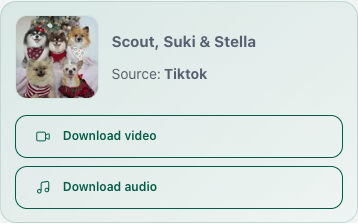
- Observed result: one video option and one separate audio option. No static MP4, MP3, HD, or watermark label was added to either action.
- Not covered by this check: TikTok short links, Photo Mode posts, and the final Save Video action on an iPhone.
- Scope: link parsing and result display only. The Files > Downloads and Save Video guidance comes from Apple Support; this review did not use a physical iPhone.
References
Frequently asked questions
Related content
How to Save TikTok Photo Slideshows
Paste a public TikTok Photo Mode post and save each image returned by the source without turning the slideshow into a screen-recorded video.
GuideHow to Download Douyin Videos on iPhone
Copy a public Douyin link, check the available video or media in Safari, and find the downloaded file in the iPhone Files app.
GuideWhy a Public Video Link Cannot Be Parsed
Check the supported domain, item page, public access, short-link redirect, regional restrictions, and platform status when a link cannot be parsed.
Help