

How to Download a Bilibili Cover Image
Find the cover returned for a public Bilibili item and save it without claiming that a preview is always the original upload.
Short answer
Paste a public Bilibili video link from bilibili.com or b23.tv. When the source returns a cover or image result, open that image and use the browser's download or Save Image action. Keep the actual JPEG, WebP, or other file format provided.
Use a video item link, not a channel page
Copy the URL for the individual Bilibili video. A b23.tv short link can work after it redirects, while a full bilibili.com video URL is easier to verify when the cover is missing.
Save the returned cover
- 1
Copy the public Bilibili video link.
- 2
Paste it into the Bilibili downloader and request the available options.
- 3
Check the preview and image or cover results for the correct video.
- 4
Open the cover and use Download Image or Save Image in the browser.
Saving the cover on desktop and mobile
On desktop, use the download action or the browser's image menu. On iPhone, an internet download may stay in Files unless you choose Save Image. On Android Chrome, downloaded images can be found from Chrome Downloads or the Files app.
Cover resolution and file type
SnapVideoTools returns the cover asset supplied by the current source. It does not guarantee original upload dimensions, does not upscale the image, and does not convert WebP by merely changing the extension.
Full-link and short-link verification
On August 23, 2026, we checked a public Bilibili BV item URL and a historical b23.tv short URL. The two tests show both a successful result and a realistic short-link failure boundary.
- Test workstation: Mac; macOS 26.5.2; Google Chrome 151.0.7922.170; 390 × 844 browser viewport.
- Tested link types: a public full bilibili.com/video/BV URL and a previously published b23.tv short URL.
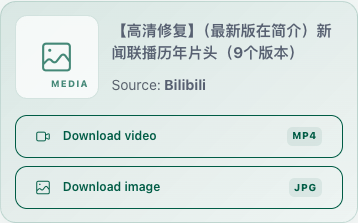
- Observed result for the full link: one video action and one cover-image action.
- Observed failure: the historical b23.tv short link no longer parsed. Short links can expire or stop redirecting even when the domain is supported.
- Scope: link parsing and result display only. Mobile file storage and Bilibili app offline caches were not tested in this check.
Frequently asked questions
Related content
How to Download Bilibili Videos on Mobile
Use Safari or Chrome with a public Bilibili link, find the browser download on iPhone or Android, and understand separate audio and app-cache limits.
GuideHow to Save Xiaohongshu Images in Original Quality When Available
Download the largest Xiaohongshu image files returned for a public note while understanding that original quality cannot be reconstructed or guaranteed.
GuideWhy a Public Video Link Cannot Be Parsed
Check the supported domain, item page, public access, short-link redirect, regional restrictions, and platform status when a link cannot be parsed.
Help